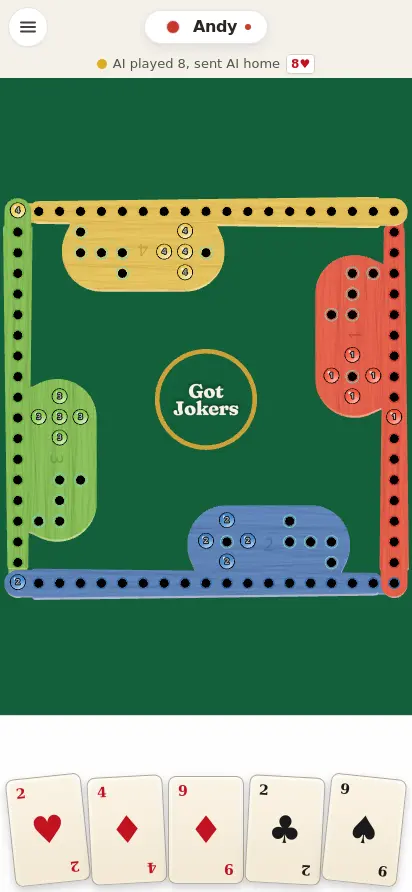
Got Jokers runs the whole table for you. It shuffles, deals, keeps every hand private and only allows legal moves. You just play your cards.
Start a room
- Open the game. Go to play.gotjokers.com on any phone, tablet or computer and tap Play online.
- Pick your name. Type the name your friends will see at the table, up to 20 characters, and tap Continue.
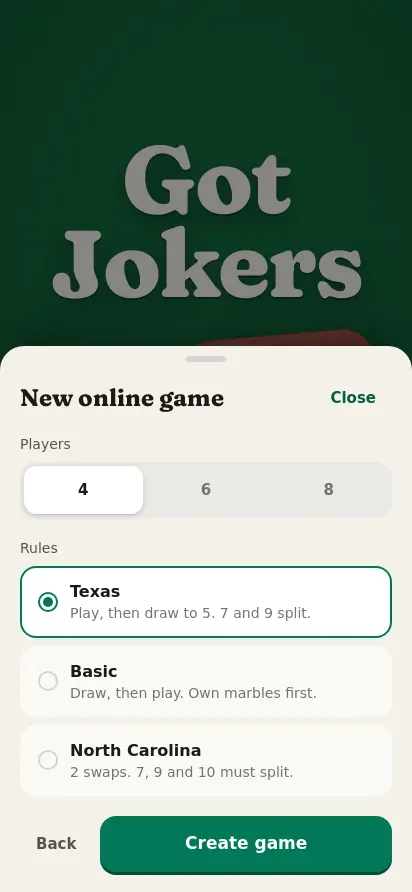
- Set up the table. Choose 4, 6 or 8 players and Texas, Basic or North Carolina rules, then tap Create game.
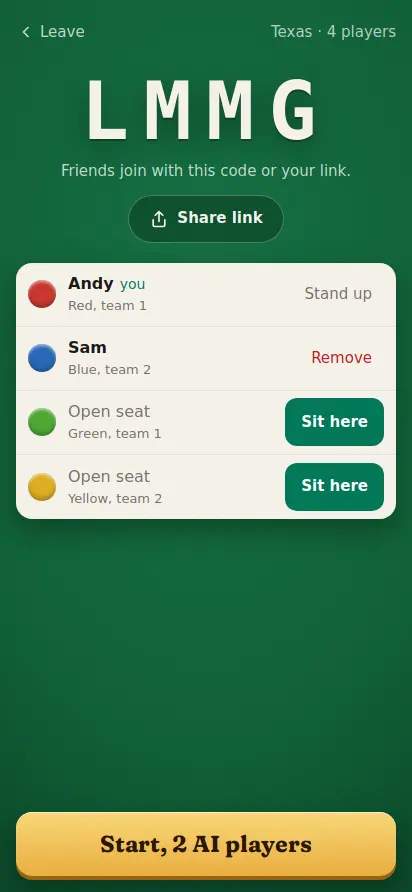
- Invite your friends. Read out the 4 letter room code or tap Share link and send it in a text or a group chat.
- Sit down and start. Everyone taps Sit here on an open seat. When you are ready, tap Start. The computer plays any seat left empty.
How friends join
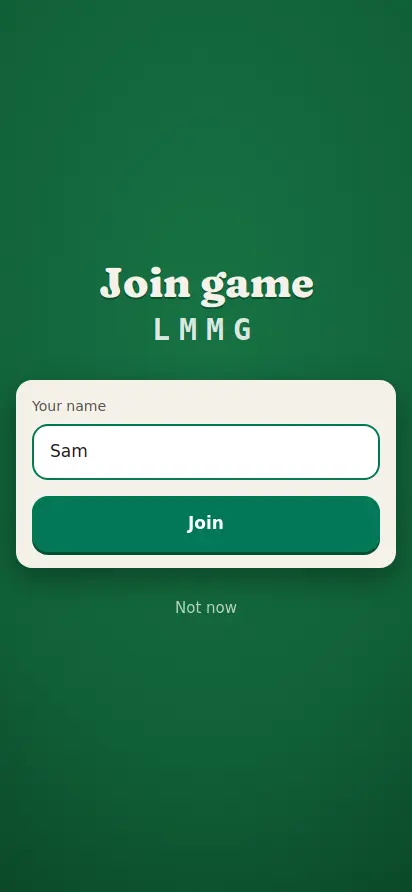
The link opens straight to the join screen. Your friend types a name, taps Join and picks a seat. That is all it takes.
With the code, they open play.gotjokers.com, tap Play online and type the four letters under Join with code. It works in Chrome, Safari, Edge and Firefox on a phone, tablet or computer.
Each seat shows its color and team, and partners sit in alternating seats. The host can remove someone from a seat before the game starts.
Empty seats go to the computer
You do not need a full table. When the host taps Start, every open seat is filled by a Medium computer player. The button tells you how many, for example Start, 2 AI players. So two people can share a four player table, with the computer in the other seats.
The turn timer
Each turn has 90 seconds. For the last 30 seconds a countdown ring appears, so nobody is caught out.
If time runs out, the computer plays that one turn for you and you get a short note. Your next turn is yours again.
If someone drops out
Phones lose signal and tabs get closed. When a player disconnects, the table shows that they are reconnecting and holds their seat for 90 seconds.
After that, the computer plays their seat so the game keeps moving. When they open the game again on the same phone or browser, they go straight back to their seat.
A player who taps Leave hands their seat to the computer for the rest of the game. A room is cleared after 24 hours with no play.
Rule sets and table sizes
Online rooms offer the same three rule sets as the rest of the game. The host picks one when creating the room.
- Texas: play, then draw back to five. The 7 and 9 split.
- Basic: draw, then play. Your own marbles first.
- North Carolina: the swapping 2, and the 7, 9 and 10 must split.
Tables seat 4, 6 or 8 players on a square, hexagon or octagon board. After a win, the host can tap Play again and everyone keeps their seat.
Install it like an app
You never have to install anything. If you play often, tap Install app on the start screen, or Add to Home Screen in Safari on an iPhone. The game then opens full screen from its own icon.
What online play does not have
Rooms are private, so there is no public lobby or matchmaking with strangers. There are no player accounts or saved stats.
Online play questions
Is online play free?
Yes. Creating a room, joining one and playing a full game are all free.
Do my friends need an app or an account?
No. They open your link or type the code in their phone's browser, enter a name and pick a seat. Nobody signs up.
How many people can play online?
Rooms seat 4, 6 or 8 players in two teams. Any seat nobody takes is played by the computer, so two friends can fill a four player table with two computer players.
What happens if someone loses their connection?
Their seat waits 90 seconds. After that the computer plays it until they come back, and reopening the game on the same phone puts them back in their seat.
Can someone join after the game has started?
No. Seats lock when the host taps Start. After the game ends, the host can tap Play again and everyone keeps their seat.
Can I play Pegs and Jokers online with strangers?
Not at the moment. Rooms are private and there is no public lobby, so you play with the people you invite. You can always play against the computer on your own.
Is Pegs and Jokers online the same game?
Yes. Pegs and Jokers and Jokers and Marbles are the same game. The online table uses the same cards, board and rules.